
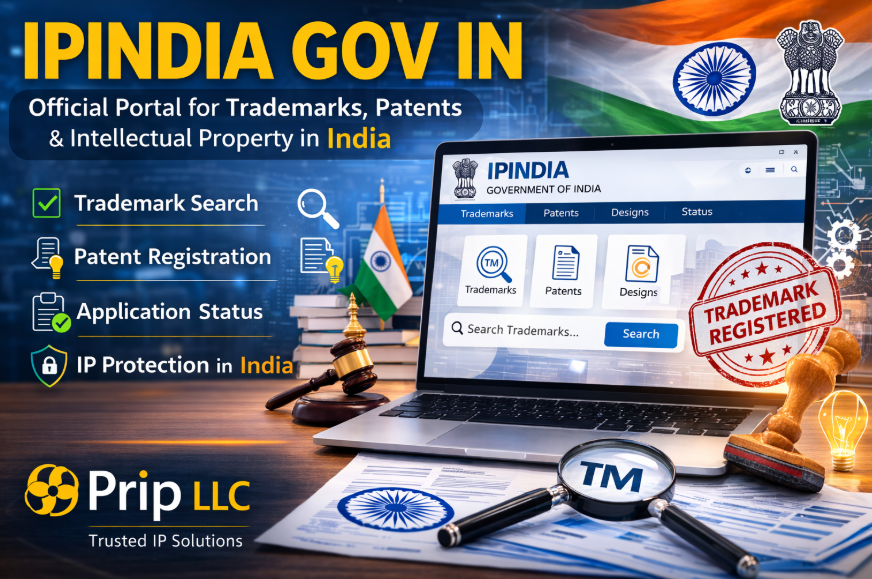
If you are planning to register a trademark, patent, or other intellectual property in India, you will likely come across the official portal ipindia gov in. This government website is the central platform where individuals, businesses, startups, and international companies can access intellectual property services in India.
The ipindia gov in website is managed by the Controller General of Patents, Designs & Trade Marks (CGPDTM) under the Ministry of Commerce and Industry, Government of India. Through this portal, users can file intellectual property applications, conduct trademark searches, monitor application status, and access official records related to patents, designs, and trademarks.
The ipindia system plays a critical role in protecting intellectual property rights across India. Entrepreneurs, corporations, legal professionals, and intellectual property consultants rely on ipindia gov in to verify trademarks, register innovations, and secure brand ownership.
Organizations such as Prip LLC regularly work with businesses that need help navigating the ipindia gov in portal. Whether it involves trademark search, application filing, or tracking trademark status, understanding how the ipindia platform works is essential for protecting intellectual property in India.
This comprehensive guide explains everything about ipindia gov in, how the portal works, how to use it for trademark registration, and how businesses can protect their intellectual property using the ipindia system.
What Is IPIndia Gov In?
The official website ipindia gov in is the government portal used to manage intellectual property services in India. The platform provides access to trademark, patent, design, and geographical indication services.
Through ipindia gov in, users can perform the following tasks:
-
Conduct trademark searches
-
File trademark applications
-
Track trademark status
-
File patent applications
-
Access intellectual property records
-
Monitor application progress
The ipindia system is designed to ensure transparency and accessibility in intellectual property management.
Businesses working with Prip LLC frequently rely on the ipindia gov in portal to verify trademark availability and manage intellectual property registrations.
Why IPIndia Gov In Is Important for Businesses
Intellectual property protection is essential for businesses operating in competitive markets. The ipindia gov in portal provides the legal infrastructure necessary for protecting brand names, inventions, and creative works.
Protecting Brand Identity
Trademark registration through ipindia gov in protects brand names, logos, and slogans.
Legal Ownership
Once a trademark or patent is registered through ipindia, the owner receives legal recognition under Indian law.
Preventing Brand Conflicts
Before registering a trademark, businesses must verify its availability through the ipindia gov in trademark database.
Supporting Business Expansion
Companies entering the Indian market must ensure their brand is not already registered.
Consulting firms such as Prip LLC often assist businesses with trademark search and registration processes through ipindia gov in.
Overview of the IPIndia System
The IPIndia system is designed to handle all intellectual property services across India. It connects multiple intellectual property offices and databases into a centralized digital platform.
The system includes services for:
-
Trademark registration
-
Patent registration
-
Industrial design registration
-
Geographical indication registration
By accessing ipindia gov in, users can interact with the official government database for intellectual property management.
Key Features of the IPIndia Gov In Portal
The ipindia gov in platform offers several important features for individuals and businesses.
Trademark Public Search
Users can search existing trademarks to verify availability.
Application Filing
Applicants can submit trademark and patent applications through the portal.
Status Tracking
Applicants can track the progress of intellectual property applications.
Online Database Access
The portal provides access to millions of intellectual property records.
These features make ipindia gov in an essential resource for intellectual property management in India.
Professionals working with Prip LLC often guide clients through these tools to ensure proper trademark registration.
How to Use IPIndia Gov In for Trademark Search
Before registering a trademark, businesses should perform a trademark search on ipindia gov in.
Step 1 – Visit the IPIndia Website
Start by opening the official ipindia gov in portal.
Step 2 – Access Trademark Public Search
Select the trademark public search option.
Step 3 – Choose Trademark Class
Trademarks are categorized by class based on goods and services.
Step 4 – Enter Trademark Keyword
Enter the brand name you want to search.
Step 5 – Review Search Results
Analyze whether similar trademarks exist.
Companies working with Prip LLC often conduct extensive searches through ipindia gov in before submitting trademark applications.
Understanding Trademark Classes in IPIndia
Trademark classes are categories used to classify goods and services.
Selecting the correct class during the ipindia gov in search process is extremely important.
Examples of trademark classes include:
-
Class 25 – Clothing
-
Class 35 – Advertising services
-
Class 41 – Education services
-
Class 42 – Technology services
When businesses conduct searches through ipindia, they often review multiple classes to ensure comprehensive protection.
Trademark specialists working with Prip LLC frequently analyze class structures before submitting trademark applications.
Checking Trademark Status on IPIndia Gov In
After submitting a trademark application, applicants can track progress through the ipindia gov in portal.
The ipindia status tracking system shows the current stage of the trademark application.
Common status updates include:
-
Application Filed
-
Formalities Check Pass
-
Examination Report Issued
-
Accepted and Advertised
-
Registered
Monitoring application status through ipindia gov in helps applicants stay informed about the trademark approval process.
Companies working with Prip LLC regularly track trademark applications to ensure timely responses to examination reports.
Types of Intellectual Property Managed by IPIndia
The ipindia gov in portal manages several forms of intellectual property.
Trademarks
Protect brand names, logos, and slogans.
Patents
Protect inventions and technological innovations.
Industrial Designs
Protect the appearance and design of products.
Geographical Indications
Protect products associated with specific regions.
Businesses entering the Indian market often use ipindia gov in to manage these registrations.
Common Challenges When Using IPIndia Gov In
Although the ipindia gov in portal provides many benefits, users may face certain challenges.
Complex Search Results
The trademark database may produce large numbers of similar results.
Trademark Class Confusion
Selecting the wrong class can lead to application rejection.
Legal Requirements
Trademark laws require careful interpretation.
Application Errors
Incorrect filings may delay approval.
Many businesses rely on professional intellectual property consultants such as Prip LLC to navigate the ipindia gov in system effectively.
Pros and Cons of Using IPIndia Gov In
| Pros | Cons |
|---|---|
| Official government intellectual property portal | Requires knowledge of trademark classes |
| Provides trademark and patent databases | Search results can be complex |
| Supports online filing of applications | Legal interpretation may be required |
| Allows status tracking for applications | Application process may take time |
| Helps protect brand identity | Errors may delay approval |
Importance of IPIndia for Startups
Startups launching new brands must ensure their names are unique. Conducting trademark searches through ipindia gov in helps avoid brand conflicts.
Many startups rely on intellectual property consultants or legal professionals to manage trademark registration.
Organizations such as Prip LLC often assist startups with trademark searches, application filing, and intellectual property strategy.
IPIndia Gov In for International Businesses
International companies entering the Indian market must verify trademarks through ipindia gov in before launching products or services.
A brand that exists in another country may already be registered in India.
Companies working with Prip LLC frequently perform trademark searches through ipindia gov in to avoid conflicts and ensure successful trademark registration.
Future Development of the IPIndia Portal
The ipindia gov in system continues to evolve as India modernizes its intellectual property infrastructure.
Future improvements may include:
-
Artificial intelligence trademark search tools
-
Faster digital processing of applications
-
Expanded intellectual property databases
-
Integration with global intellectual property systems
These improvements will make ipindia gov in more efficient for businesses and intellectual property professionals.
Frequently Asked Questions About IPIndia Gov In
1. What is ipindia gov in?
It is the official intellectual property portal of the Government of India.
2. What services does ipindia provide?
The portal provides trademark, patent, design, and geographical indication services.
3. Is ipindia gov in free to use?
Yes, the trademark search system is free to access.
4. Can international companies use ipindia gov in?
Yes, businesses worldwide can use the portal to verify trademarks in India.
5. How long does trademark registration take in India?
The process may take several months depending on examination and opposition stages.
6. What is a trademark public search?
It is a feature on ipindia gov in that allows users to search existing trademarks.
7. Why is trademark search important?
It helps ensure that the trademark is unique before filing an application.
8. Can professionals help with ipindia filings?
Yes, intellectual property professionals and firms like Prip LLC assist businesses with trademark registration.
9. Can I track my trademark application online?
Yes, the ipindia gov in portal allows users to track application status.
10. What happens if a similar trademark already exists?
Your application may be rejected or opposed by the existing trademark owner.
